D-Vision example screenshots |
Main windowThe main window of D-Vision is a
powerful programmable monitor. It is able to visualize all the cameras
simultaneously in real time, or pull up the single camera you want. You can also
set it to scan camera views and hear synchronized audio just by clicking
on each camera.
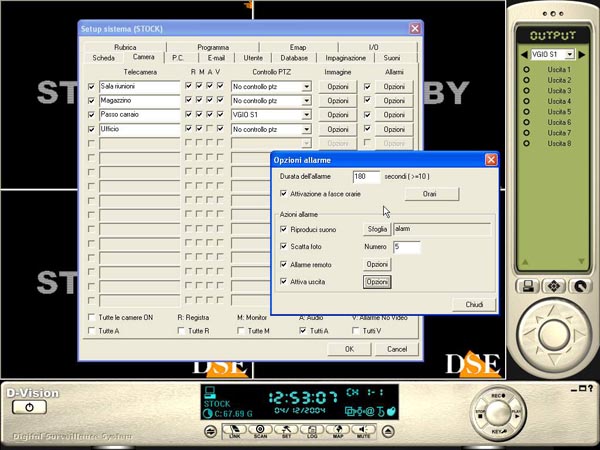
16 independent cameras – Motion detection – alarm triggersThe following shot shows the working area for a system comprised of one card with 4 inputs. The cameras are not activated at the moment and the basic configuration is being set up. For each camera you can decide whether to record video and audio and whether to visualize the camera views on the screen. Each camera has its own set of controls for image adjustment and individual settings for the action to be taken in the event of an alarm triggered by the sophisticated motion detection system. There are different settings to detect false alarms generated by accidental changes in the image or variations in the level of light.
|
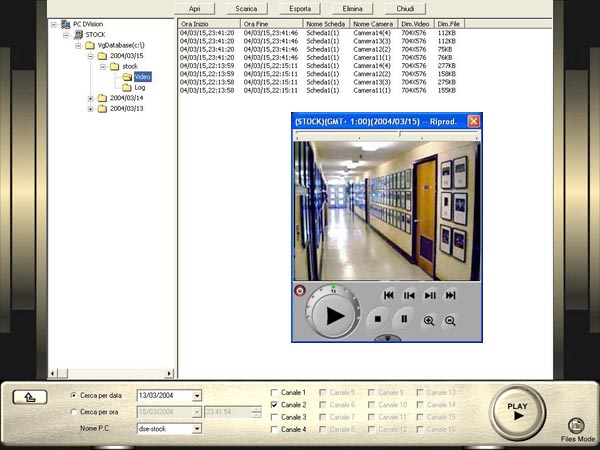
Recording onto hard diskD-Vision has a great, virtually unlimited recording
capacity. It is
very simple to search for the images you are interested in using the excellent
file management system. You can search for a certain period of time or an alarm
event. The files are viewed on a handy reader (DV-Player) which displays
all the information you set, such as date, time, camera etc.
|
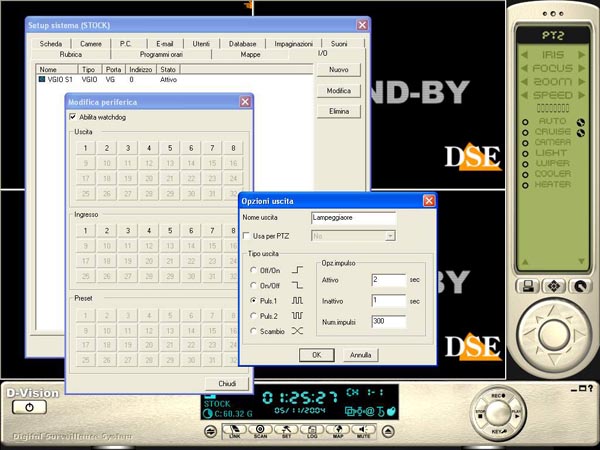
External inputs/outputs – Controls for Speed Dome camerasUsing the VG-IO card (4 inputs and
4 relay outputs) D-Vision can interface with external devices. In this way the
motion detection function can activate sirens, lighting etc, while sensors and
other external controls can activate D-Vision recording and trigger alarm
actions.
|
|
You
can download the complete version of D-Vision software in the
download area
Please note:
The software is fully functioning but without the card you will not be able to
view images and a number of functions cannot be accessed. |